


Flipster - Digital Magazines
2.5154.00 Reviews
App Specs
- Version
- 3.5.4
- Updated On
- License
- Free
- Downloads
- 100,000+
- Developer
- EBSCO Information Services
- Categories
- News & Magazines
- Platform
- Android
Screenshots
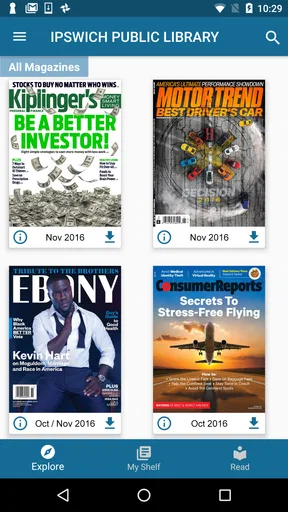
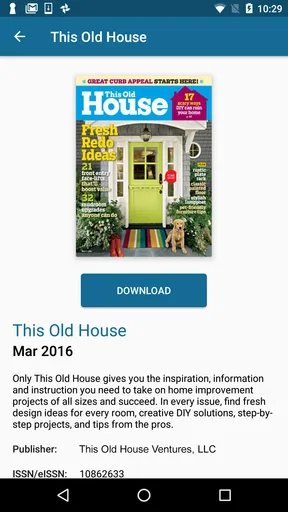
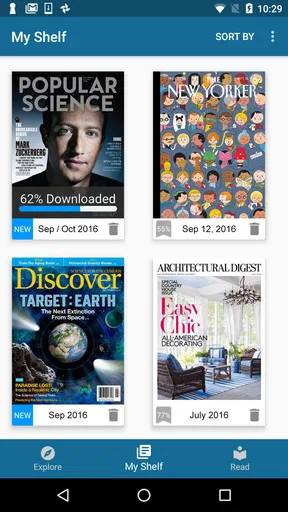
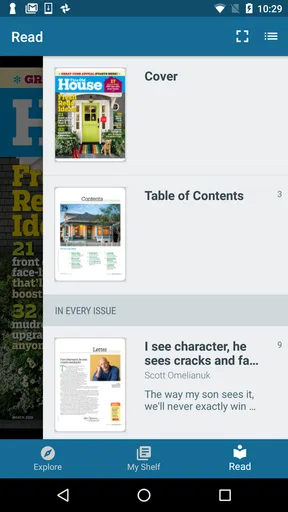
 Analysis by AppCompare
I tested Flipster - Digital Magazines as a library-connected reading app, and my first impression was that it serves a very specific purpose well: giving library users a way to read digital magazine issues without buying each one separately. It is not a general news feed, a social reading network, or a replacement for every magazine publisher’s own app. Its value depends heavily on the library access behind it, but when that access is available, it creates a practical option for quiet reading on a phone or tablet.
The app comes from EBSCO Information Services and sits in the News & Magazines category. It is free to install, suitable for Everyone, and has passed the million-install mark? No—the more accurate description is that it has over one hundred thousand installs, which places it beyond a small niche experiment while still showing that this is a specialist library tool rather than a mainstream news platform. The current release is version 3.5.4, and it works on devices running Android 8.0 or later.
How Flipster works in a shared household
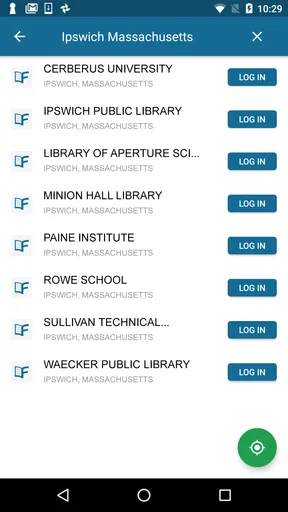
The most useful way to think about Flipster is as a digital extension of a library card. Instead of opening the app and immediately receiving a personalized stream of articles, I approach it through a library relationship: I identify the participating library, sign in or authenticate as required, browse the available magazine collection, and then choose what I want to read. That makes the first step less spontaneous than opening a commercial news app, but it also keeps the purpose clear.
A realistic household example would be a tablet kept in the living room. One person may use it to read a cooking magazine over breakfast, another may check a technology title later in the day, and a child or teenager might browse an appropriate general-interest publication. The device becomes a shared reading surface rather than a personal social feed. That is where Flipster feels most natural: short sessions, one reader at a time, with the library account acting as the doorway to the collection.
I would not treat that shared tablet as a substitute for separate personal profiles. The app should be approached as a service tied to library access, not as a family-management system. Before handing the device around, I would make sure the household understands whose library access is being used and what happens when someone signs out. That simple conversation prevents the common confusion of assuming that every person in the home automatically has an independent entitlement to the same digital collection.
The shared-device scenario also changes how I judge convenience. On a personal phone, I can accept a little setup friction because I am the only reader. On a household tablet, the best experience depends on clear routines: one person finishes reading, returns to the library or collection screen, and leaves the app ready for the next user. I found that this matters more than having an elaborate home screen. Flipster is most comfortable when everyone treats it like a communal bookshelf with digital boundaries.
Setting up access without mixing accounts
The important preparation is not technical customization but access clarity. A user should know which library provides the service, whether their library participates, and which credentials or authentication step the app requests. Because Flipster is provided courtesy of a library, the app cannot be evaluated like a standalone magazine subscription. If the local library is not part of the service, installing the app alone does not create a magazine collection.
Worth Reading Before You Choose

EA SPORTS FC Mobile 26 Is a Bigger Football Game, but It Takes Time

Flipboard Shows What News Apps Must Do Beyond the Feed

Switching to Android Auto Means Rethinking Your Driving Routine

Google Calendar Makes a Crowded Week Easier to Manage

Ludo King Makes the Most of the Minutes Between Plans

Baby Panda World Brings Quick Play to Modern Phones, but Its Game Library Feels Busy
For a family, I recommend deciding in advance whether the app will be used by one library member on a personal device or by several people on a shared device. Keeping that boundary clear avoids an awkward situation in which another household member assumes they can manage the account, change access details, or continue reading after the authorized user has signed out. The app’s usefulness is tied to legitimate library access, so account ownership should remain straightforward.
There is also a practical reason to avoid casual account swapping. Magazine services often involve a collection that can change according to the library’s arrangement, and different users may have different expectations about what should be available. I would not promise a child that a particular title will always appear, and I would not build a weekly reading routine around one issue until I had checked that the library actually offers it through Flipster.
My first concrete tip is to check the library connection before planning a household reading schedule. If the service is available, make a small list of the titles each person wants to try. Then test the sign-in process on the device that will be shared. This catches the two most likely sources of frustration—unclear access and an inconvenient reading setup—before the family starts relying on the app.
Coordinating reading on one device
Flipster works better for coordination when the household agrees on a simple handoff routine. I would keep the tablet charged, use a comfortable screen size, and leave the app at the collection or current issue rather than on a private account screen. That is not a special feature; it is a sensible way to use a library reading service when several people share hardware.
One advantage of magazines in this setting is that reading does not have to happen all at once. A person can browse an issue during a quiet moment, stop, and return later. That makes the app more flexible than a live news broadcast or a time-sensitive social feed. At the same time, I would avoid assuming that every reading position or personal preference will be preserved perfectly between users. A shared device naturally creates more opportunities for someone to open a different issue or move away from the page another reader was using.
My second practical insight is to separate “household browsing” from “personal reading.” Browsing the available collection together works well: people can see which magazines interest them and decide who will read first. Personal reading is better done on an individual phone or tablet when privacy, uninterrupted progress, or a quieter experience matters. Flipster can support both situations, but the household should not confuse shared access with personalized organization.
Compared with buying individual digital issues, this arrangement can be financially attractive because the app itself is free and the library provides the service. Compared with a general news app, it is slower and more deliberate. A news app is designed to deliver a constant stream of updates; Flipster is designed around magazine issues and library availability. I prefer Flipster when I want a longer-form reading session, while I would choose a conventional news reader for breaking developments or a broad mix of constantly refreshed headlines.
Age, trust, and sensible supervision
The official content rating is Everyone, which makes the app broadly suitable as a reading tool in a household. That rating should not be mistaken for a promise that every magazine issue will appeal to every age group. A library magazine collection can cover different interests and levels of maturity, so parents and guardians still need to use their own judgment about which titles are appropriate for a particular child.
There is no reason to hand over the library account casually just because the app is free. In my view, a younger reader can use Flipster responsibly when an adult has already checked the available titles and explained the difference between browsing a library collection and owning a magazine subscription. That distinction is especially useful for children who may expect every digital service to work through a personal profile with its own permanent history.
Trust also matters between adults. If the app is installed on a shared device, everyone should know whether the current session belongs to one library member. I would avoid saving access details in a way that lets anyone use the account without the member’s knowledge. The safest household practice is simple: use the authorized access, sign out when the device is passed to someone outside the household, and do not assume that a free app removes the need for responsible account handling.
My third non-obvious tip is to treat the magazine list as the real family-safety checkpoint, not merely the age label on the app page. Before a child uses the service independently, an adult can browse the collection and decide whether the available subjects fit that child’s interests and maturity. This approach is more useful than expecting a general app rating to make every editorial choice for the family.
What the reading experience gets right
Flipster’s strongest quality is focus. It gives library users a route to magazines without forcing them into a commercial subscription decision for every title. I like that relationship because it encourages browsing: a reader can discover a publication through the library’s collection rather than paying first and hoping the content is worthwhile.
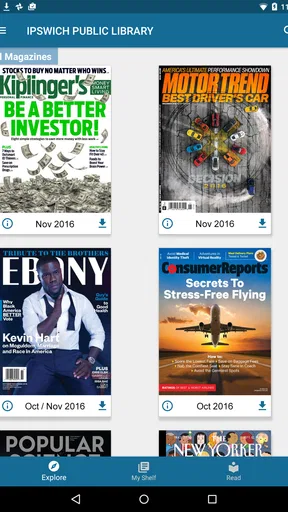
The app also fits readers who prefer issues over isolated articles. A magazine has a recognizable rhythm, with a cover, sections, recurring departments, and a complete editorial package. That can feel calmer than scrolling through unrelated headlines. For someone who wants a weekend reading session, a waiting-room distraction, or a topic-based browse on a tablet, that structure is a meaningful benefit.
Another strength is that the app remains understandable when used by different people. A household does not need to learn a complicated content-creation system or manage multiple social identities just to read. The central task is selecting a library collection and opening a magazine. That simplicity helps older relatives and less technical users, provided the initial library authentication is clear.
Still, the experience is not universally smooth. The average rating is 2.5 from around four hundred ratings, with over one hundred written reviews, so the public response is mixed rather than glowing. I would take that as a warning to keep expectations realistic. Library-linked apps can feel excellent when the collection and access path match a reader’s needs, but frustrating when a user expects the breadth, polish, or immediacy of a major commercial magazine platform.
Where it falls short compared with alternatives
The biggest limitation is dependence on the library. A commercial magazine subscription usually gives a reader a direct relationship with a publisher or platform. Flipster adds the library as the essential intermediary. That can be a benefit because the app is free to install and the library may provide access, but it also means the available titles are not entirely under the reader’s control.
For someone who follows one magazine obsessively and wants the newest issue on a predictable schedule, the publisher’s own app or a direct subscription may be the better choice. That route is usually more appropriate when continuity matters more than discovery. Flipster is better suited to readers who value selection through a library and are comfortable working within that collection.
It is also not the right tool for people who mainly want rapid news updates. A dedicated news app will normally feel more immediate for headlines, alerts, and constantly changing stories. Flipster’s magazine orientation rewards patience and browsing. I would choose it for depth and variety within available issues, not for minute-by-minute awareness.
Users should also consider device habits. Reading a full magazine on a small phone screen can be less comfortable than using a tablet, especially when pages contain dense layouts, photographs, or small captions. A phone remains useful for occasional reading, but a shared tablet or larger personal screen is the more natural fit. If a household owns only a small phone and expects long reading sessions, this may not be the most pleasant option.
Who should use it, and who should skip it?
I would recommend Flipster to library members who enjoy magazines, want to sample several titles, and do not want to purchase each issue individually. It is particularly suitable for households with a shared tablet, readers who like browsing by subject, and people who prefer a library-based service over a constant stream of online articles.
I would also suggest it to someone who is unsure which magazine interests them. The library context lowers the commitment involved in exploring a new title. Instead of deciding whether a subscription is worth maintaining, the reader can see what the collection offers and decide whether the format fits their routine.
I would skip it if I needed guaranteed access to one specific title, a highly personalized account experience, or breaking-news delivery. I would also look elsewhere if my library did not provide the service or if my household required separate, clearly isolated profiles. In those cases, a publisher app, a commercial magazine platform, or a general news reader may match the need more closely.
Before installing, I would ask myself four practical questions: Does my library support Flipster? Am I happy reading from the collection it provides rather than choosing any magazine I want? Will I use a screen large enough for comfortable page reading? And am I installing it for shared browsing or for private, uninterrupted reading? The answers determine whether the app feels convenient or unnecessarily restrictive.
My household verdict
After using it as a library magazine reader, I see Flipster as a specialized tool with a clear audience. It is not trying to be the internet’s main news destination, and I would not judge it by that standard. Its appeal comes from connecting library access with digital magazine reading, especially when several people can share a tablet while respecting the account boundary of the authorized library member.
The free price is a genuine advantage, but it does not remove the need to verify library participation and think about how the service will fit into a household. The Everyone age rating makes the app approachable, yet adults should still review the available magazine subjects before giving a child unrestricted browsing time. Those small decisions make a noticeable difference to the experience.
My final view is positive but selective. Flipster is worth trying when your library offers it and you want a calm, issue-based alternative to scrolling news or buying individual magazines. I would recommend starting with a short shared-device test: confirm access, browse the collection, open a title on the most comfortable screen, and decide whether the library’s selection matches the household’s interests. If it does, the app becomes a useful digital reading shelf rather than just another app on the device.
Pros
- Large selection of popular magazines in one subscription.
- New issues are added regularly for fresh reading material.
- Offline downloads let you read without an internet connection.
- Clean interface makes browsing titles and topics straightforward.
- Adjustable text view improves readability on supported magazines.
Cons
- Some magazines may have limited interactive or multimedia features.
- Offline issues can require considerable storage space on your device.
- Content availability may vary by country or subscription plan.
- The app may feel less convenient for readers who prefer print editions.
- Certain titles can be removed or changed without much advance notice.
FAQs for Flipster - Digital Magazines
What is Flipster – Digital Magazines?
Flipster – Digital Magazines is a digital reading app that lets users access magazine collections provided through participating libraries and institutions. After signing in with an eligible library card or account, you can browse available titles, read current and previous issues, and download selected magazines for offline use. The exact catalog depends on your library’s subscription.
Do I need a library card or subscription to use Flipster?
In most cases, yes. Flipster is generally offered through public libraries, schools, universities, or other participating organizations rather than as a completely open magazine service. You normally need valid membership details from a supported institution to sign in. Before downloading the app, check whether your library appears in the service and confirm that your card or account is active.
Can I read magazines offline with Flipster?
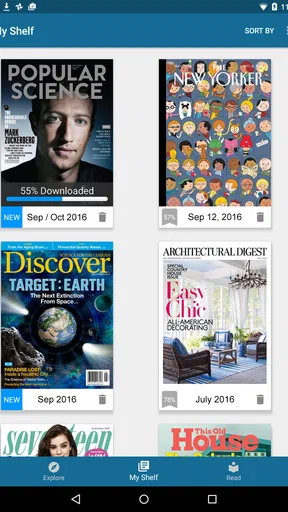
Flipster supports downloading available magazine issues so they can be read without a continuous internet connection. This is useful when traveling or when mobile data is limited. You usually need to connect to the internet first, choose an issue, and wait for the download to finish. Offline access may depend on licensing rules, storage space, and account validity.
What reading features does Flipster provide?
The app is designed for magazine-style reading, allowing you to browse covers, open individual issues, and move through pages on a phone or tablet. Depending on the publication, you may also be able to zoom into articles, search within content, and use a more readable text view. Features can vary between magazines because publishers provide different digital formats.
Is Flipster free to download and use?
The Flipster app can generally be downloaded without paying an upfront app fee, but access to its magazines is controlled by participating libraries or organizations. You may not need a separate personal subscription if your institution already provides access, although membership requirements still apply. Availability, issue limits, and download rules can differ, so check your library’s terms before relying on the service.


